

How to Create an FTP Account in cPanel?
An FTP (File Transfer Protocol) account allows you to connect to your website’s server to upload, download, or manage files easily using an FTP client.
Log in to cPanel
Section titled “Log in to cPanel”- Open your web browser and go to your cPanel login page.
- Enter your username and password to log in.
Navigate to FTP Accounts
Section titled “Navigate to FTP Accounts”- In the cPanel dashboard, locate the “Files” section.
- Click on the “FTP Accounts” icon.
Create a New FTP Account
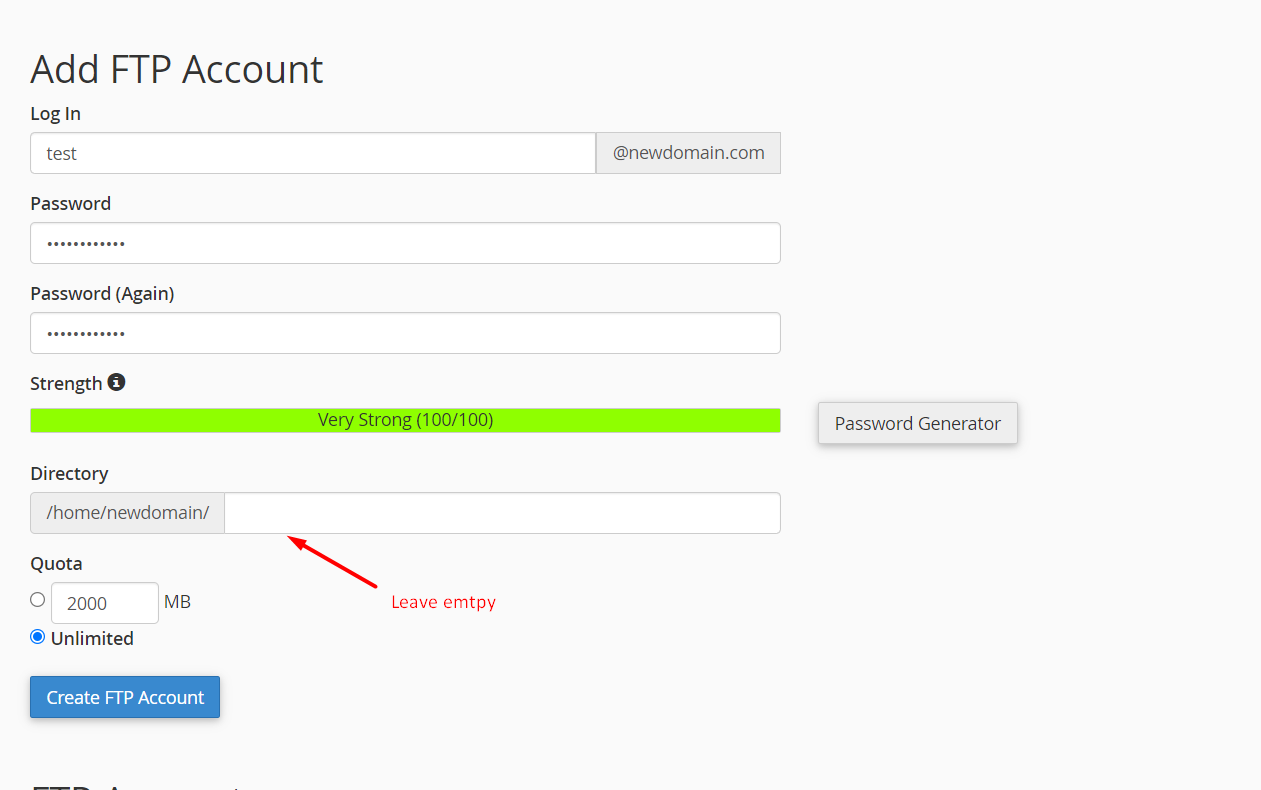
Section titled “Create a New FTP Account”Method 1: Create an FTP Account for the Entire Directory
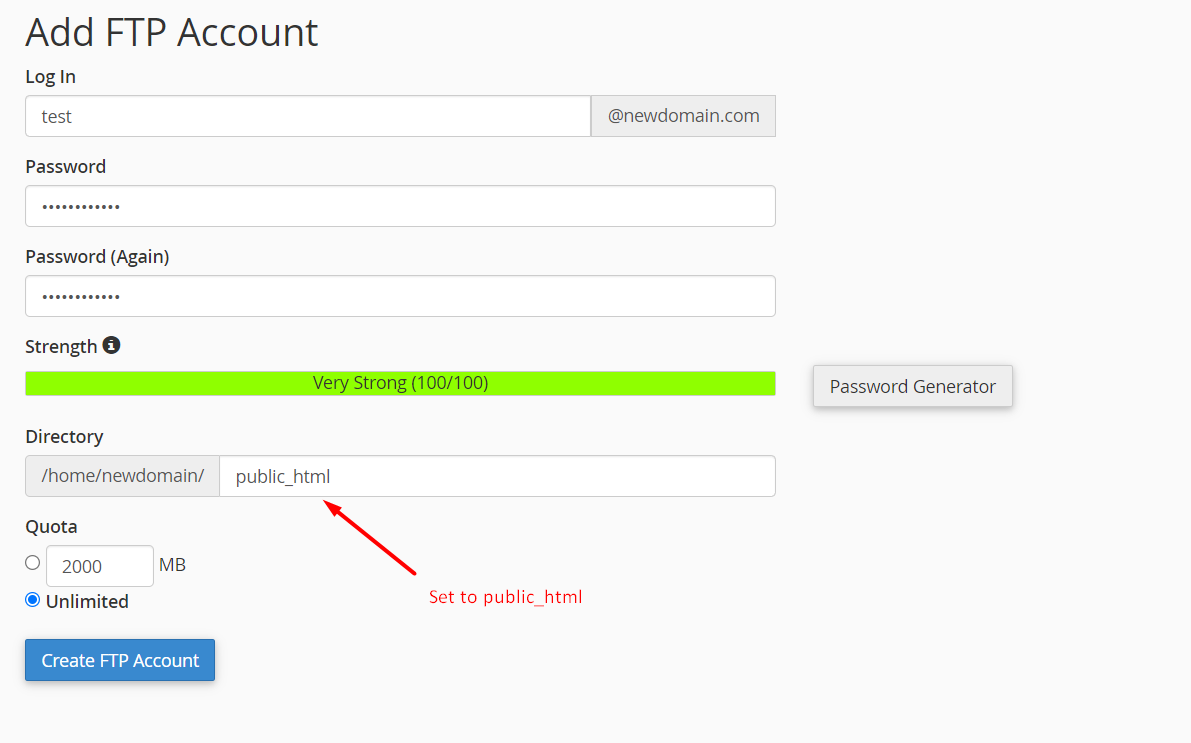
Method 2: Create an FTP Account for public_html (Primary Domain).
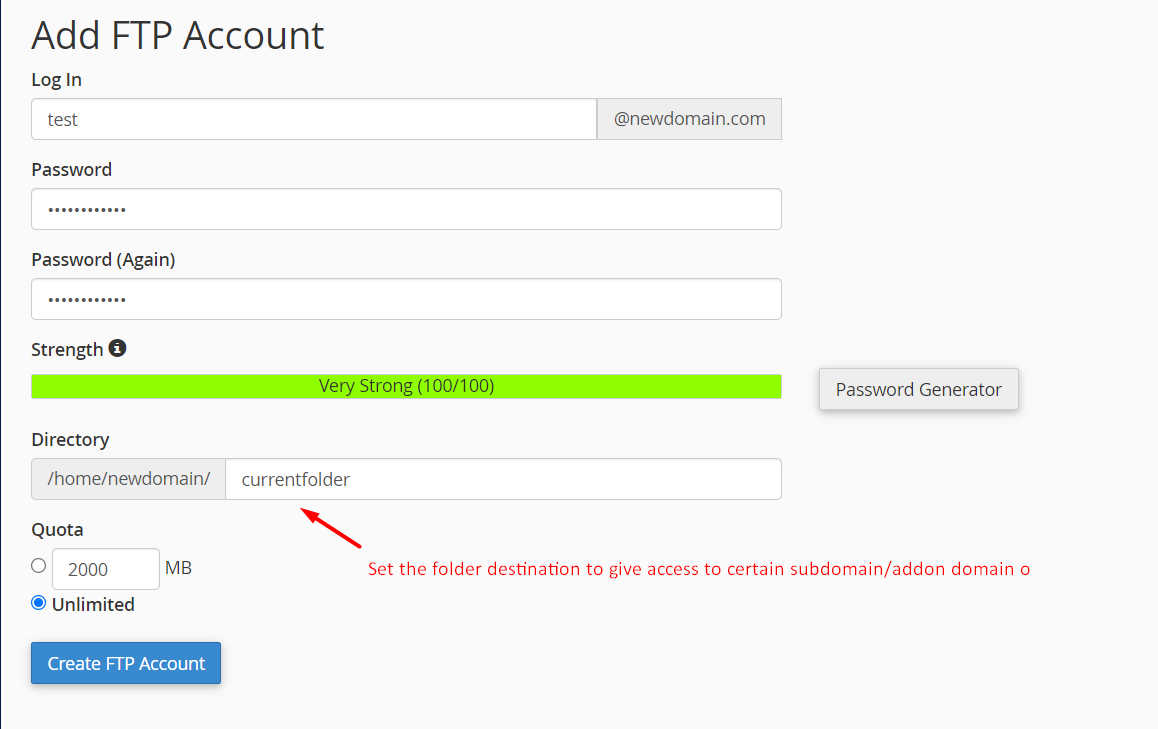
Method 3: Create an FTP Account for Addon Domains.
By following these steps, you can successfully create and manage an FTP account in cPanel.